Helpful Aeries Parent Portal Tools & Resources
Greetings MHS Parents,
Did you know that you can configure your Aeries Parent Portal (go.musd.org) to send you grade alerts, assignment alerts, and missing assignment alerts? This is a feature that many parents are unaware of.
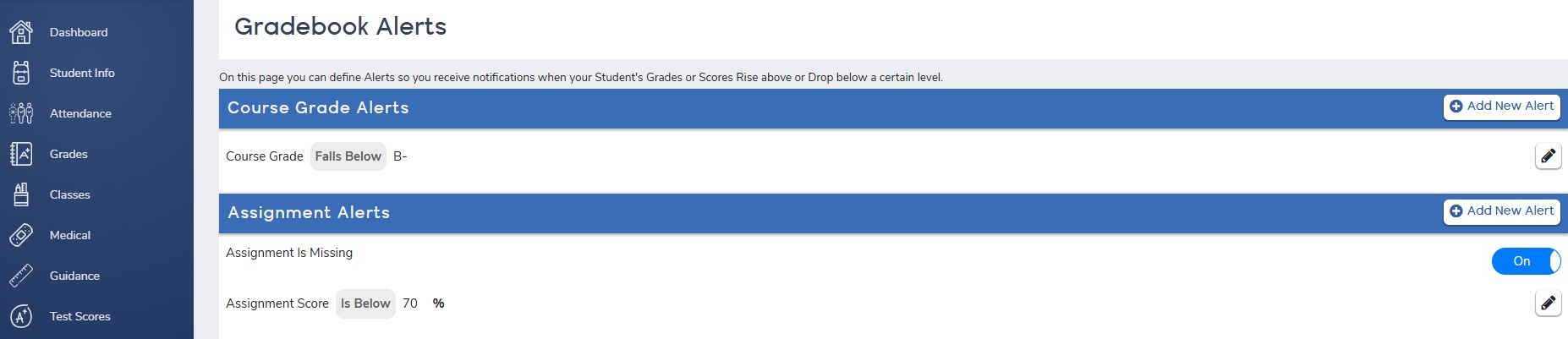
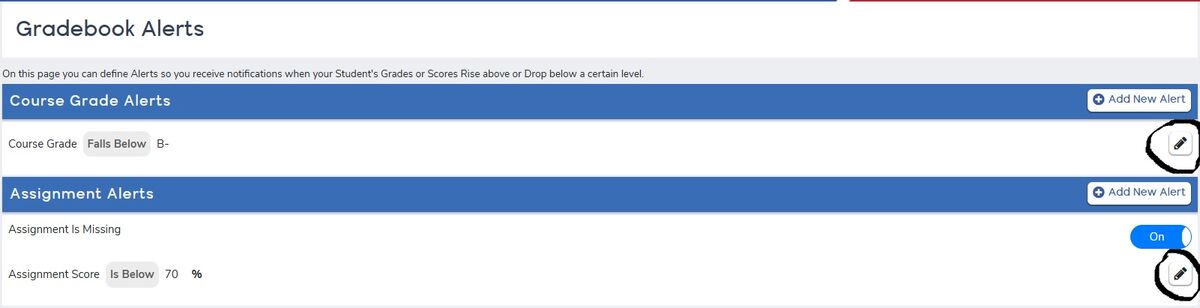
Grade Alert--you determine when you want to receive an email to let you know your student is getting a course grade below the level of your choosing. You could set it so that you receive an alert whenever your students gets a grade below C-, B-, etc. You choose.
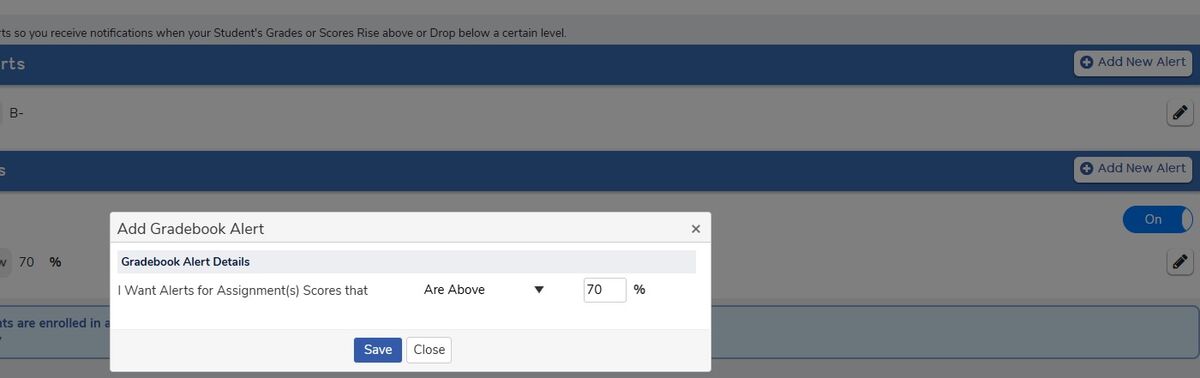
Assignment Alert--you determine when you want to receive an email to let you know your student received an assignment grade below the level of your choosing. You could set it so that you receive an alert whenever your students gets a grade below 70%, 65%, 75%, etc. You choose.
Missing Assignment Alert--you can toggle on this option and you will receive a notification whenever your student has a missing assignment in any class.
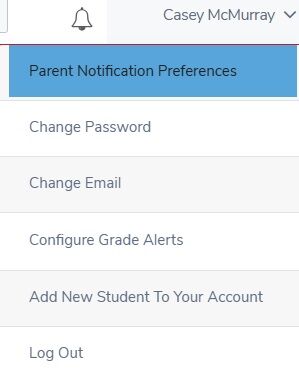
Below you will find screenshots showing you how to go about setting up these alerts.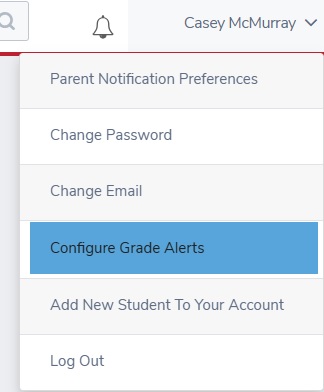
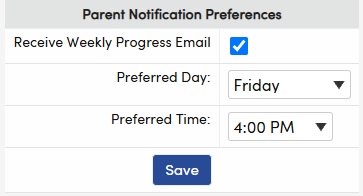
Also, you can sign up to receive a "Weekly Progress Email" sent to you with updates on missing assignments, grades, assessment scores, homework, etc. all in one email. You choose the day and time you want this weekly email and you're all set. I receive mine on Fridays at 4pm to see how the week went. You can set yours to the day & time that works for you.